Everything the trade needs. Nothing it doesn't.
Every screen below is captured from the real app, filled with fictional demo data. Walk through it, feature by feature.
One enquiry to every supplier at once.
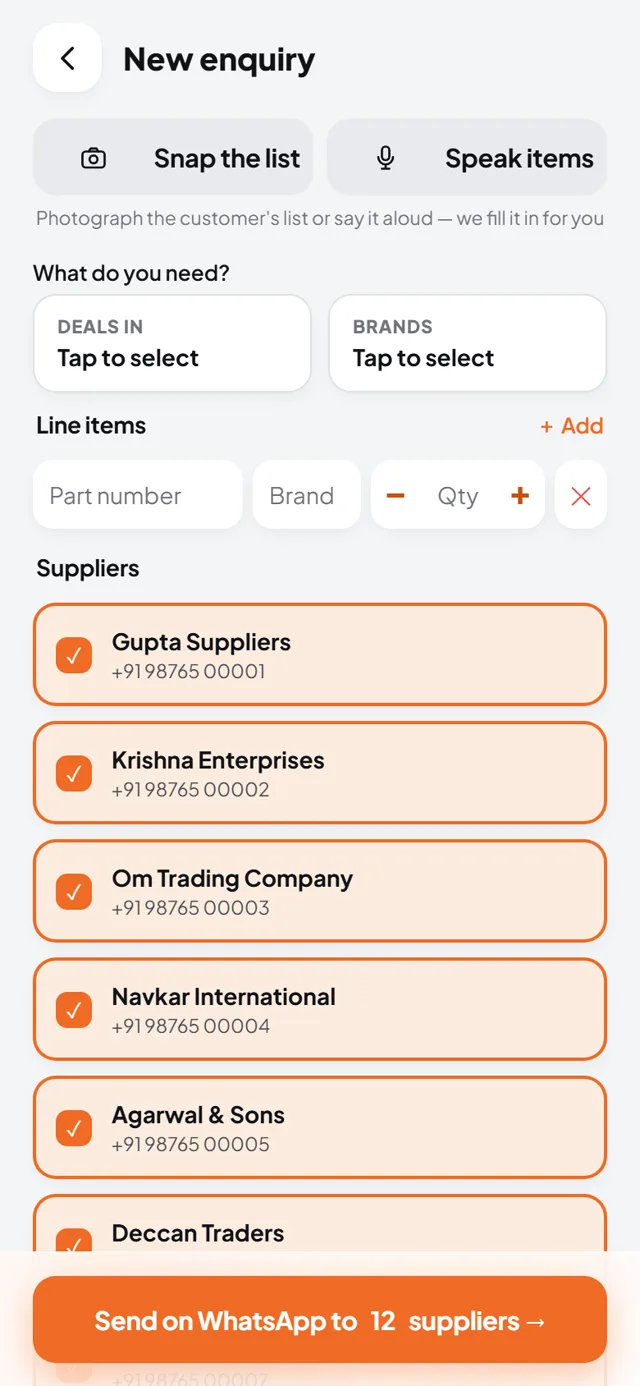
Type it, speak it, or photograph it
Ask once. It goes to all your suppliers on WhatsApp in one tap.
Write the parts, record a voice note, or snap a photo of your list. Pick your suppliers and send. The button reads "Send on WhatsApp to 12 suppliers", and that is exactly what happens.
Every reply read. Nothing ever lost.
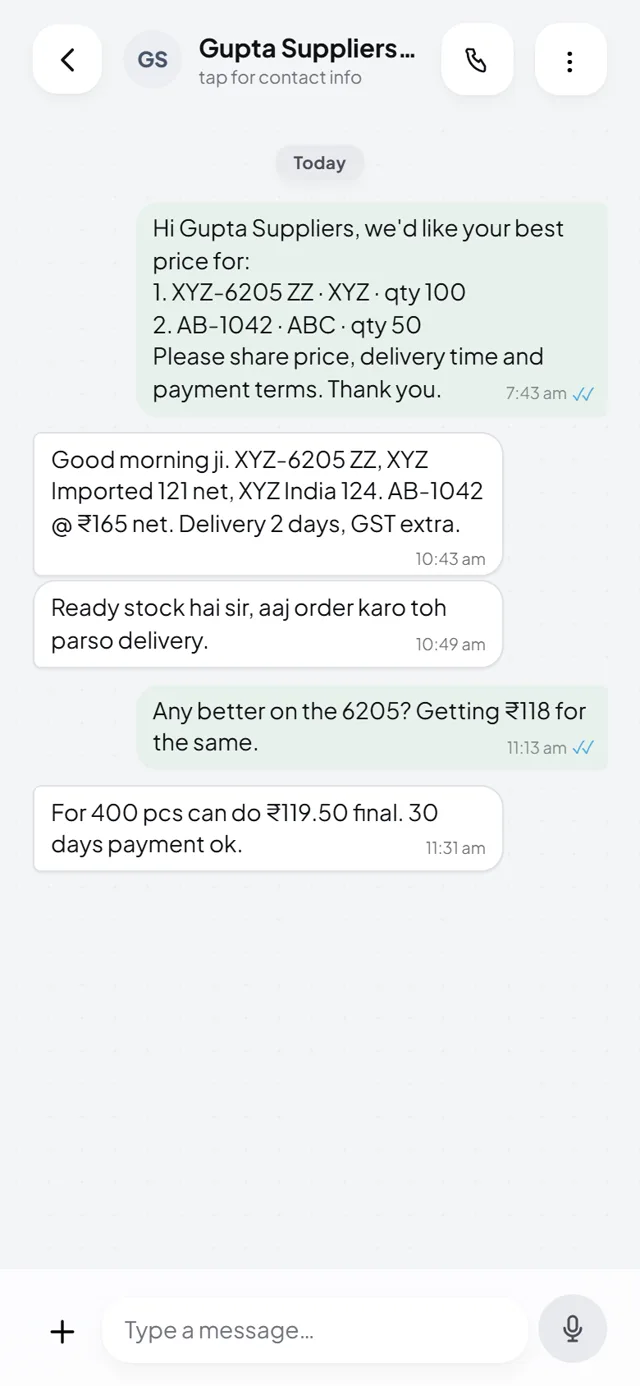
Text, PDF, photo, voice note. All read.
Your suppliers reply however they like. MasaPe reads every format.
The AI pulls the rate, MRP, discount, brand and terms out of each reply and puts it on your board. A reply it cannot read is never hidden. It shows up in an amber block with "Read again" and "Type the price", so no price ever slips away.
Cheapest on top. Order in one tap.
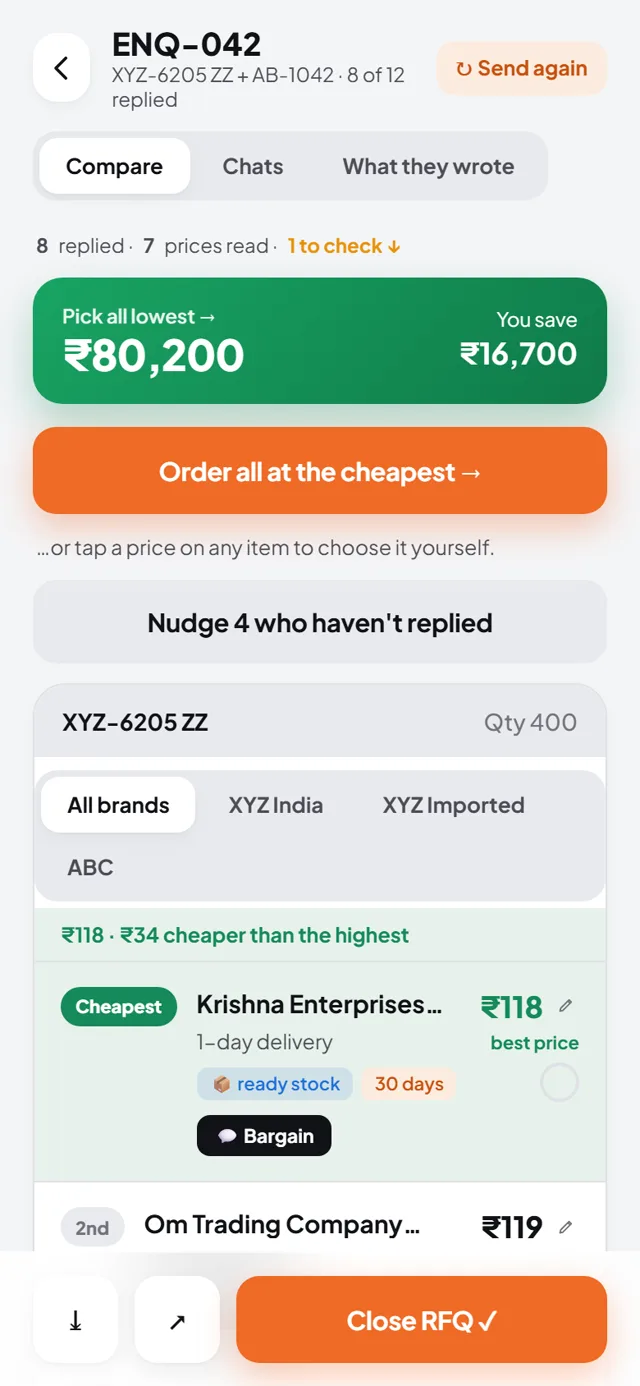
Cheapest, 2nd, 3rd. With brand variants.
The best rate is on top before your tea gets cold.
Every reply is ranked live. When a supplier quotes more than one brand of the same item, say the Indian make and the imported one, each is its own row with a brand pill. Tap a brand chip to rank within that brand. A green banner shows what you save if you pick all the lowest.
Order all at the cheapest
One tap places the order on WhatsApp, and logs the saving.
Tap "Order all at the cheapest" and the order goes out to each winning supplier on WhatsApp. The amount you saved against the highest quote is recorded, so at month end you can show the family a real number.
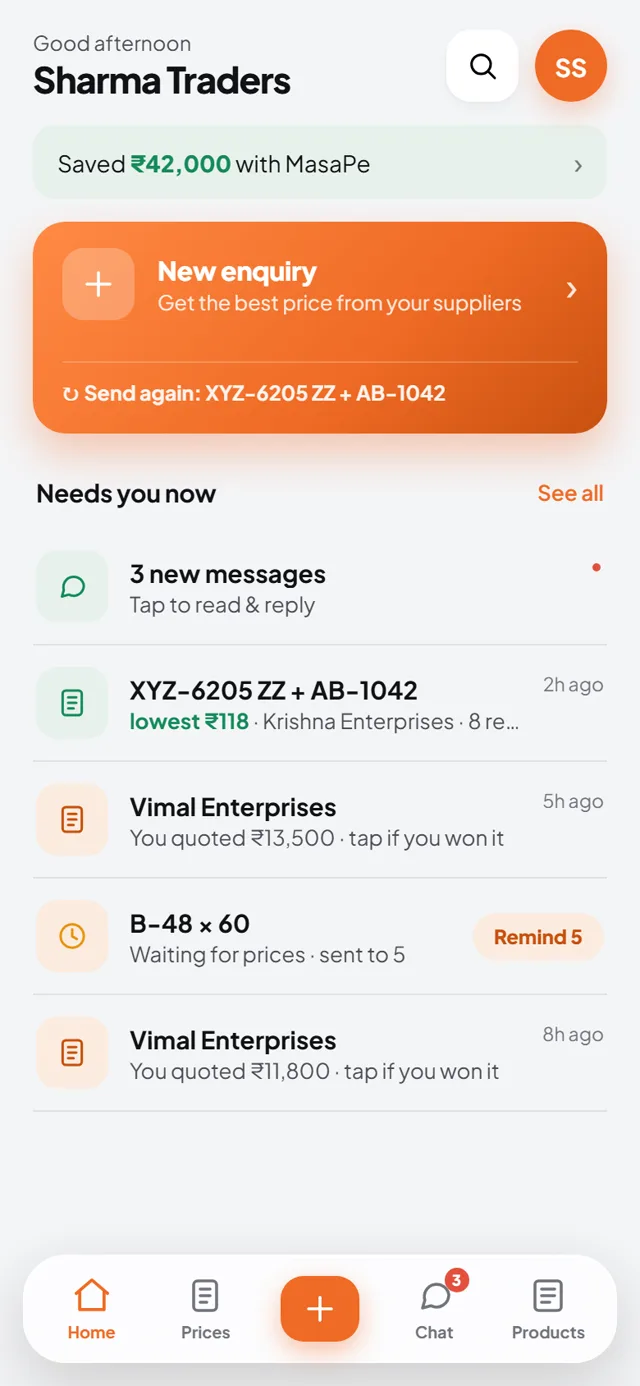
Every rate remembered. Every quotation tracked.
The price book, with your margins
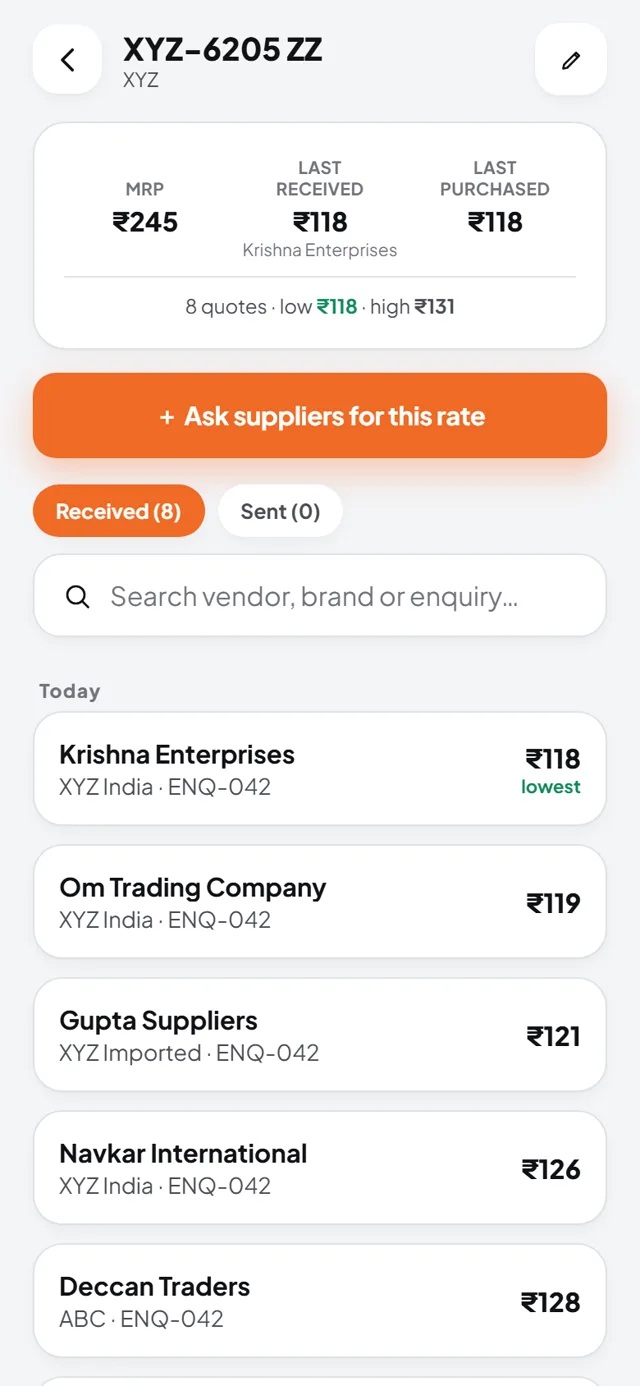
Every rate you ever received, per part.
Search any part and see who quoted what, and when, across every brand. A "You quoted" line shows the sell prices you gave, with the margin between your last buy and your last sell. You know the right price before you ask.
The quotations you give
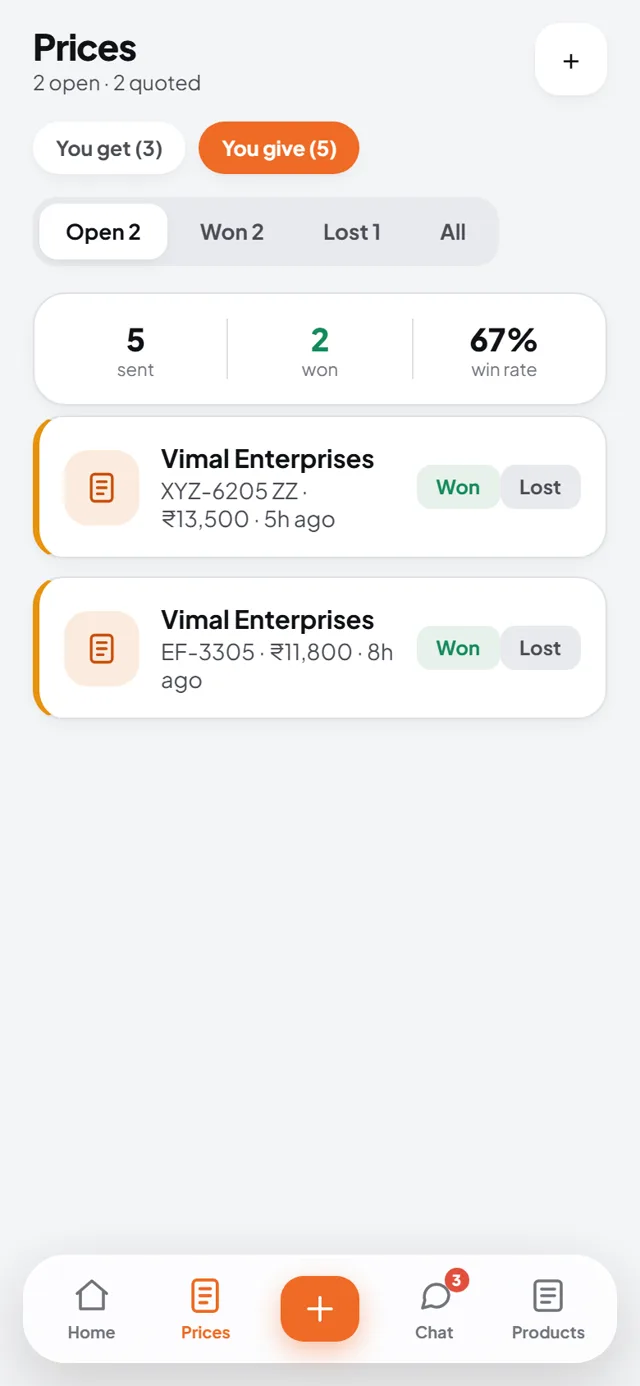
Won, Lost and your win rate, on one screen.
The Prices tab has two sides. You get, and you give. Every quotation you send a customer is tracked as Won, Lost or open, with your win rate on top. You always know which deals are still alive, and one tap marks the result.
Your products, with live stock
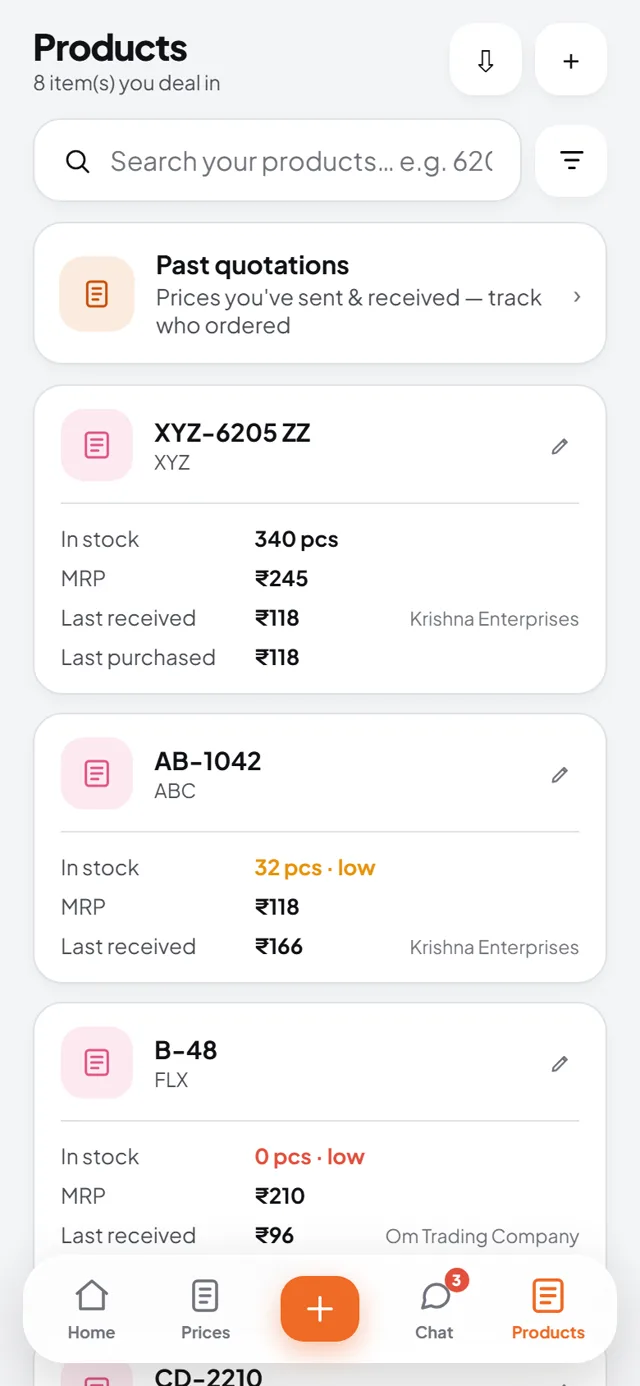
MRP, last received and last purchased, on every item.
Your item list shows stock as in stock, low or out, with MRP, last received rate and last purchased rate. A Received and Sent quotations toggle on each product tells you both sides of its story.
Your salesmen, on the same system.
Check-ins, visit reports, a 7 pm digest
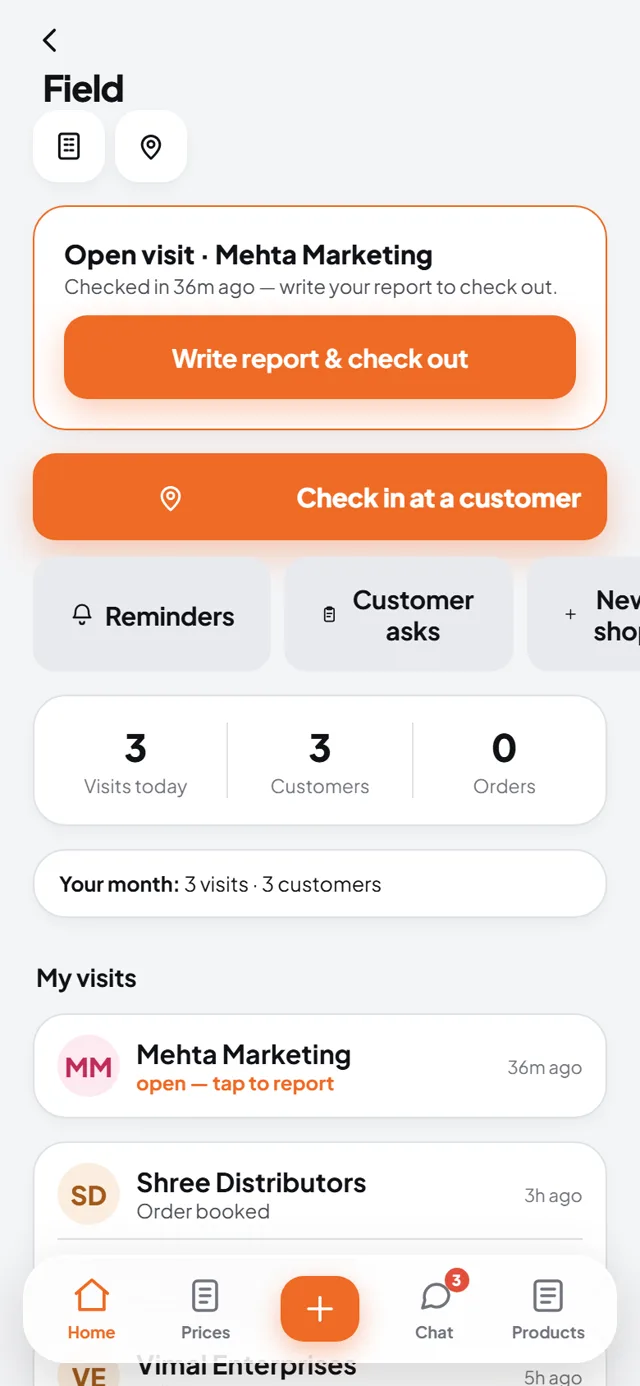
See the whole day from the counter.
Salesmen check in at a customer, even by just sharing their WhatsApp location. They file the outcome, notes, payment collected and the next step. At 7 pm the owner gets the full day as one push.
Fifteen reports, inside the app.
Read them on your phone. Share or export.
No download needed to see the number.
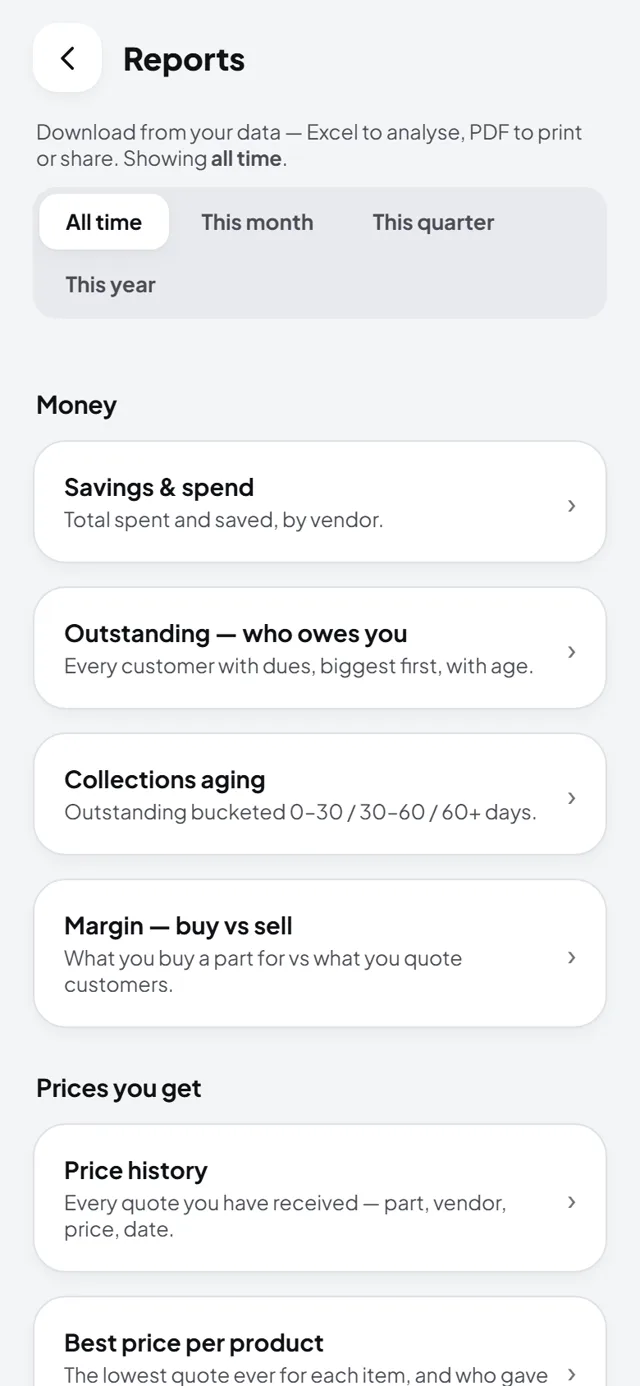
Fifteen report types open right inside the app, with a period filter for all time, this month, quarter or year, a summary strip on top and a small table below. Share to WhatsApp, or export to Excel or PDF when your CA asks.
Four languages
Home, enquiry and chat work in English, Hindi, Kannada and Tamil. Your team uses the app in the language they think in.
Import from Tally, Busy, Zoho, Marg
Bring in customers and dues from an Excel sheet. Two-way Zoho CRM sync keeps both sides in step.
Works offline, with undo
The app queues your actions when the network drops and sends them when it is back. Every destructive action can be undone.
See it with your parts and your suppliers.
The free trial unlocks every feature you just read about.